0%
Many Magento store owners spend hours each week to move order and inventory data by hand between their website and other business tools.
Magento is great to sell online, but it does not handle warehouse stock, accounting, or complex orders on its own. When the numbers on the site do not match what is actually in the back room, customers feel let down and teams waste time to fix mistakes.
What is ERP for Magento?
ERP stands for Enterprise Resource Planning. In plain terms, it is the software that runs the back end of your business. While Magento handles the front end (what customers see, click, and buy) an ERP handles everything that happens after the order is placed.
For a Magento store owner, an ERP system manages:
-
Inventory levels across all warehouses and physical stores.
-
Order fulfillment and shipping workflows.
-
Accounting and financial reports.
-
Supplier purchases and vendor payments.
-
Customer data beyond the basic email address.
Benefits of a Magento ERP Integration
A direct link between Magento and your ERP does more than save time. It changes how your whole business operates. Here are the key benefits.
How to Choose the Best ERP for Magento
Not every ERP works well with Magento. Some systems connect with ease. Others require constant workarounds and patches. Before you commit to a platform, consider these key factors.
1. Proven Magento Compatibility
Look for an ERP with a ready-made connector or a history of smooth Magento projects. A generic API is not enough. Magento has a unique database structure. The ERP must handle it without breaking custom product options, configurable items, or B2B price lists.
2. Real-Time Sync vs. Batch Updates
Some ERPs update data once an hour or once a day. Others push changes in real time. Ask yourself: can you afford to show stock that is two hours old? For most growing stores, real-time sync is a must.
3. Support for Your Business Model
B2B and DTC have different needs. A B2B Magento store may require credit limits, tiered pricing, and purchase order workflows. Make sure the ERP supports these features out of the box or with minimal setup.
4. Scalability
Your order volume today may triple next year. Choose an ERP that grows with you. Check if the platform charges based on user seats, transaction volume, or revenue. Avoid systems that punish growth with steep price jumps.
5. Total Cost and Hidden Fees
Look beyond the monthly subscription. Ask about:
-
Setup and implementation fees.
-
Cost of the Magento connector or middleware.
-
Ongoing maintenance or upgrade charges.
A cheap ERP often becomes expensive once you add all the required extras.
6. Ease of Use for Your Team
The best ERP in the world fails if your staff refuses to use it. Look for a clean interface and simple navigation. Warehouse pickers and finance clerks should not need a manual to do their jobs.
7. Integration with Other Tools
Your ERP should not exist in a bubble. Check if it connects to your shipping software, tax automation, payment gateways, and marketing tools, CRM system. The goal is to build a connected ecosystem, not another silo.
8. Vendor Support and Community
Things break. Updates happen. When trouble strikes, you need a responsive support team. Also check if the ERP has an active community or partner network. This makes it easier to find help or hire experts when needed.
9. Future-Proof Features
The commerce landscape shifts fast. Does the ERP offer:
-
Multi-warehouse management?
-
Dropshipping workflows?
-
Support for international currencies and taxes?
Pick a system that meets your needs today and has room for where you want to go tomorrow.
ERP Solution for Magento Comparison Table
Top 9 Magento ERP Software Solutions
Below we compare nine leading ERP platforms that connect smoothly with Magento and help you automate the back office.
1. Microsoft Dynamics
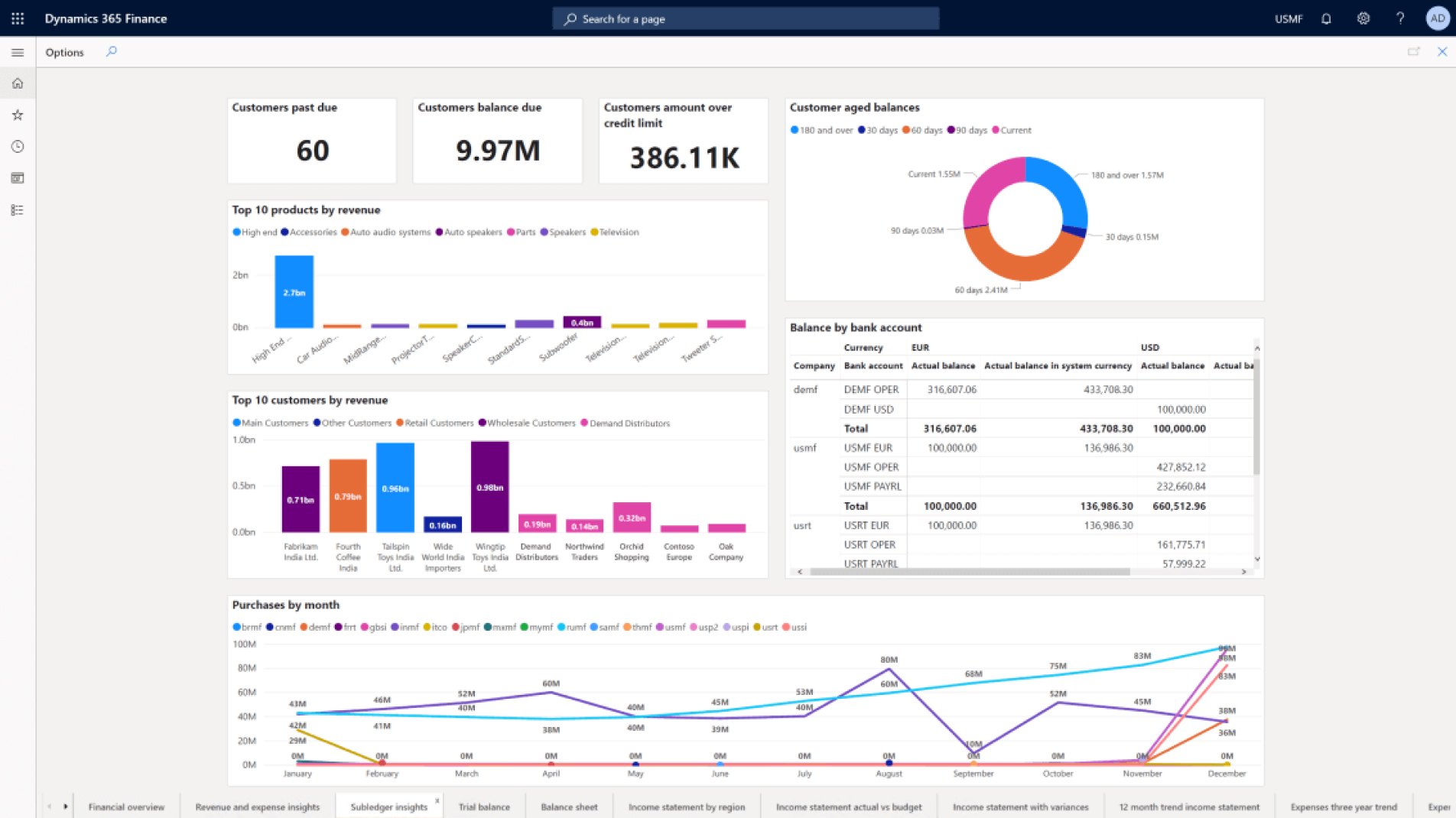
Microsoft Dynamics 365 is a cloud-based ERP solution that organizes business finances, operations, sales, and customer relations. It integrates with Microsoft Excel as well as Magento. Microsoft Dynamics customers can create dashboards to easily monitor performance. Its other key features include:
- Advanced analytics
- Customizable workflows
- Scalable architecture
- Unified experience combining sales and operations with e-commerce
- Supply chain optimization
Pros
- Integration with other Microsoft products
- User-friendly
- A Magento-certified partner that has pre-built integration with Magento
- Custom integration with other software tools through open API
Cons
- Integration can be more complex depending on the version
- Requires ongoing maintenance
- Some extensions are pricey
Best For — Businesses already embedded in the Microsoft ecosystem who want a unified experience across Office, Teams, and Magento.
2. SAP Business One
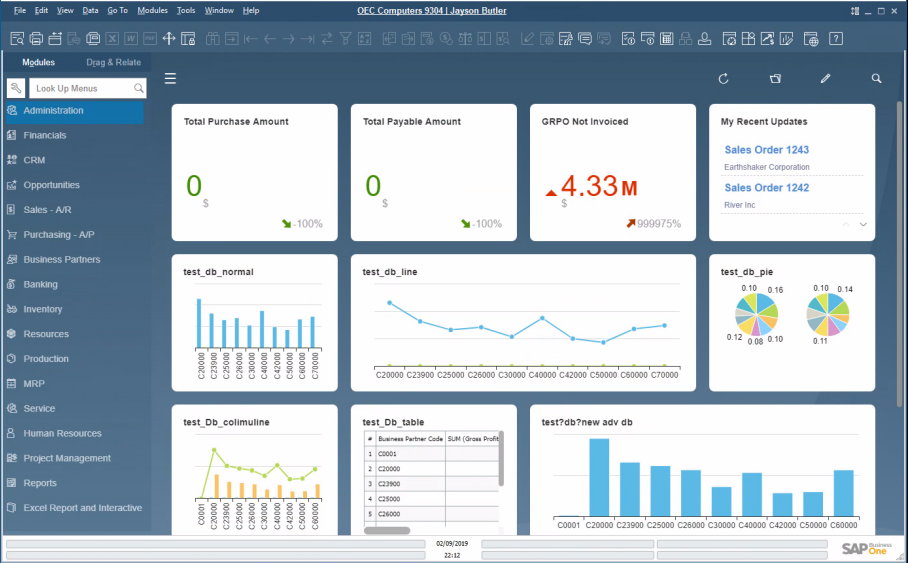
SAP Business One is for small and medium-sized businesses. It has tools for inventory management, sales, finance, and CRM. Magento ERP integration with SAP eliminates repetitive staff data input and related administrative mistakes. It is a particularly good option for businesses that already use other SAP products, and the Magento marketplace offers extensions for its organic integration.
SAP’s key features include:
- Real-time data synchronization when integrated with Magento
- Integrated analytics
- Accounting and financial close function
- Product lifecycle management
- Human capital and employee experience management
- Flexible, user-friendly interface
- Customizable dashboard
- Aids in financial forecasting
Pros
- Scalable
- Robust
- Ideal for complex accounting requirements
- Integrates with other SAP products
- Financial and operational data available in real-time
- Can easily sync order and stock information between it and Magento
Cons
- Complex and requires familiarity with data systems languages
- Can be expensive
Best For — SMBs with complex accounting needs or those already using SAP products elsewhere in the organization.
3. Oracle ERP Cloud
Oracle ERP is a cloud-based tool from a reputable brand name with an excellent support team. It is robust and provides tools for financial and human resource management, manufacturing planning, and supply chain management. It supports many country ledgers, accounting standards, and currencies, making it a popular choice for companies that operate internationally.
Other key features are:
- Real-time financial insights and analytics
- Project management tools
- Compliance and risk management capabilities
- Easy integration with Magento and other applications and platforms
Pros
- Intuitive user interface
- Scalability and flexibility
- Continuous improvements and updates
Cons
- High cost, especially for small businesses
- Requires extensive training for optimal use
- Customization requires additional expertise
Best For — Large enterprises and international companies that manage multiple currencies, ledgers, and compliance standards.
4. Quickbooks ERP
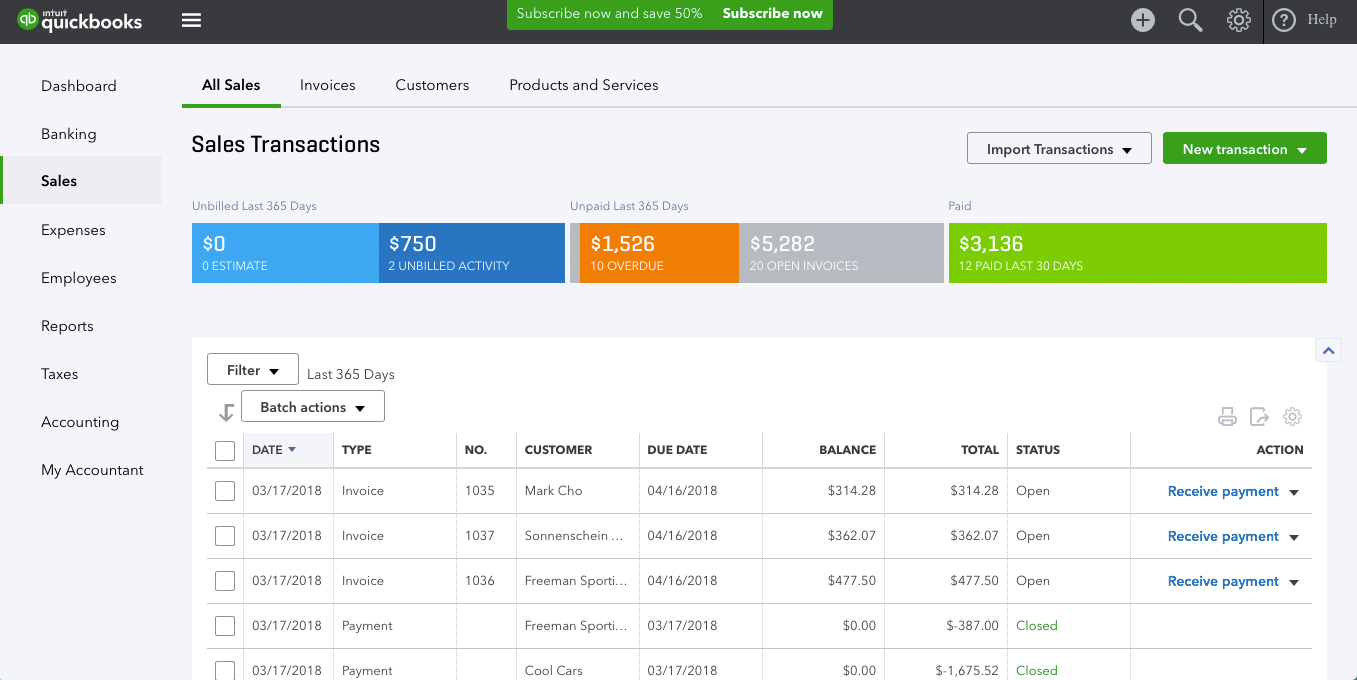
Quickbooks is known for its accounting software. Quickbooks ERP goes beyond the company's ordinary accounting software to provide information for further customization, which can lead to educated financial decisions. It includes inventory monitoring and administration, aided payroll, advanced pricing tools, and advanced reporting.
Other key benefits
- Robust accounting features, including invoicing, payroll, expense tracking, and real-time insights.
- Real-time financial reporting and insights.
- Simple inventory management that is suitable for small to medium businesses.
- Cloud-based
- Can handle multiple currencies
- Integrates with other software tools in addition to Magento
Pros
- Streamlined Magento integration
- Easy-to-use interface
- Affordability, offering tiered pricing
Cons
- Limited scalability
- Inventory features are basic
- Less customizable than some other Magento ERP solutions
Best For — Small businesses and startups that need straightforward accounting sync without complex warehouse or manufacturing requirements.
5. Infor CSD
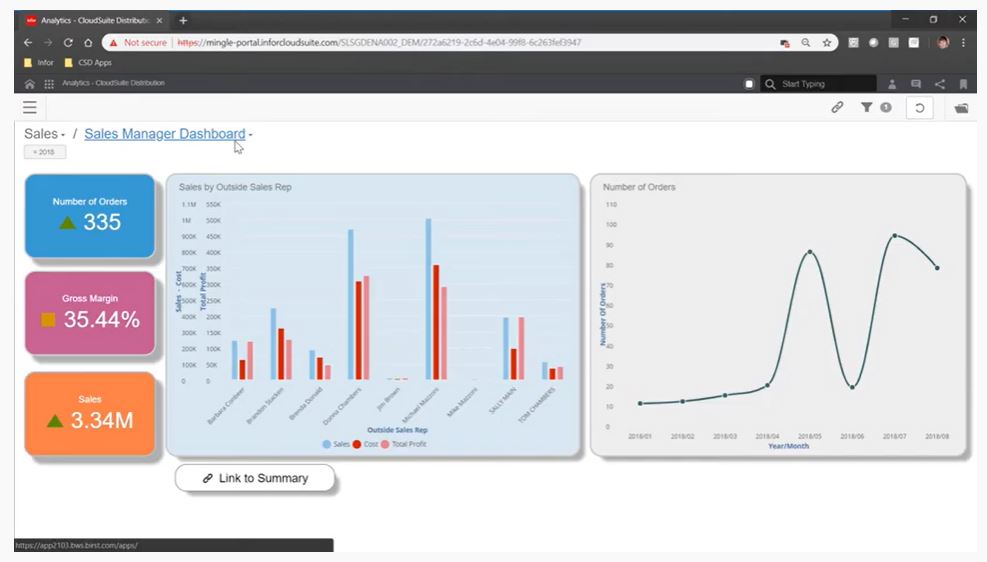
Infor Cloud-System Distribution is a comprehensive platform in a multi-tier cloud environment and the foundation of all Infor's industry-specific CloudSuite solutions. It offers big data insights and an open architecture for simple Magento integration and is specifically tailored for distribution businesses.
Other key features are:
- Advanced supply chain and warehouse management
- Financial and sales management tools
- CRM capabilities
- Mobile and analytics features
Pros
- Specialization in the distribution industry
- Comprehensive supply chain tools
- Its array of innovative technologies within the toolkit
Cons
- Less suitable for non-distribution businesses
- Requires advanced training for optimal use
- Expensive to implement
Best For — Wholesale distributors and supply chain focused businesses that need advanced warehouse and logistics tools.
Get in touch
with our expert
Discuss your project requirements and get a free estimate.
Get in touch
with our expert
Discuss your project requirements and get a free estimate.
6. Odoo
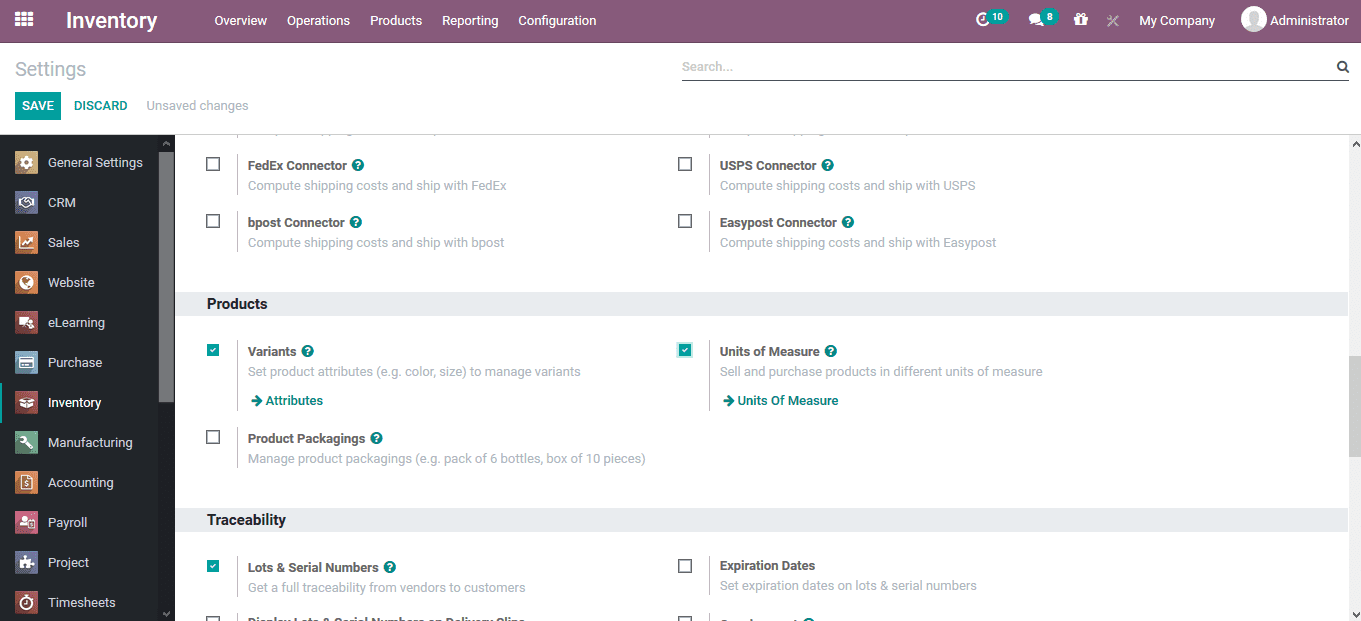
Odoo is offered as a desk-based or cloud-based solution and provides tools for inventory, accounting, CRM, human resources, and report management. It can be accessed from any location, including mobile devices using Android or Apple iOS.
Among its features are:
- Open-source, with flexible Magento integration.
- Modular structure that allows businesses to buy as many or few features as desired
- Billing and costing
- Planning and Scheduling module
- Shipping
- Product Design
- Document Management
Pros
- Easily customized user-friendly interface
- Easy navigation
- Excellent community support
- Regular updates
- Cost-effective
- Integrates with various platforms and applications
Cons
- Successful installation and integration may require technical knowledge
- Support comes primarily from the community and third-party suppliers
Best For — Budget-conscious businesses that want a flexible, modular system and have some technical resources or a developer on hand.
7. Sage ERP
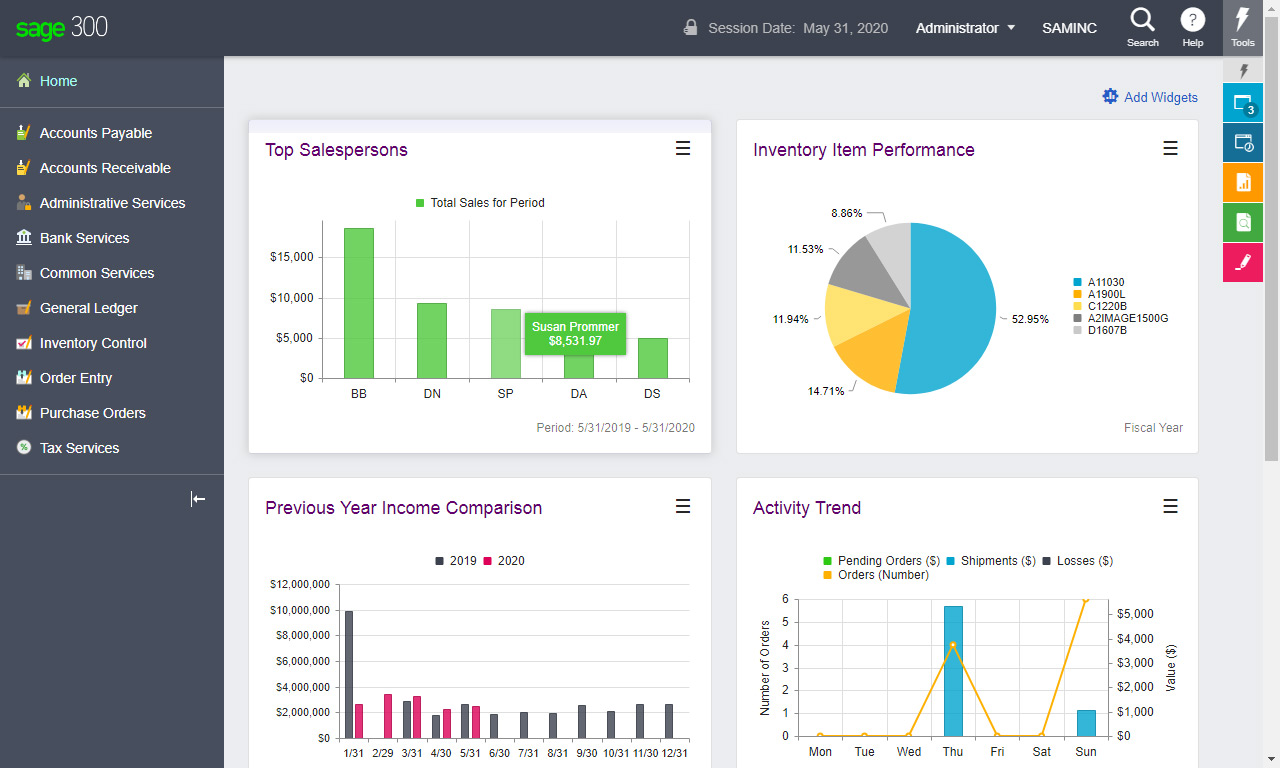
Sage ERP is a cloud-based solution for managing sales, inventory, customer support, and many other activities. It provides a real-time view of all the important business success measures. It also excels at threat intelligence monitoring, so it is particularly suitable for businesses that require enhanced data protection measures.
Other key features include
- Mobile access
- Multi-currency capabilities
- Purchasing and supplier management
- Marketing, sales, and customer care
- Inventory and warehouse management that can be optimized by business size
- Extensive financial tools
Pros
- Strong suite of financial tools
- Scalability
- User-friendly interface
- Customizable
- Excellent data security and frequent patch updates
- Versatile and can display data in various ways
Cons
- More expensive than some Magento ERP solutions
- Magento integration may require specialized technical skills or assistance
Best For — Growing businesses that prioritize financial control and data security, especially those in regulated industries.
8. Epicor Kinetic
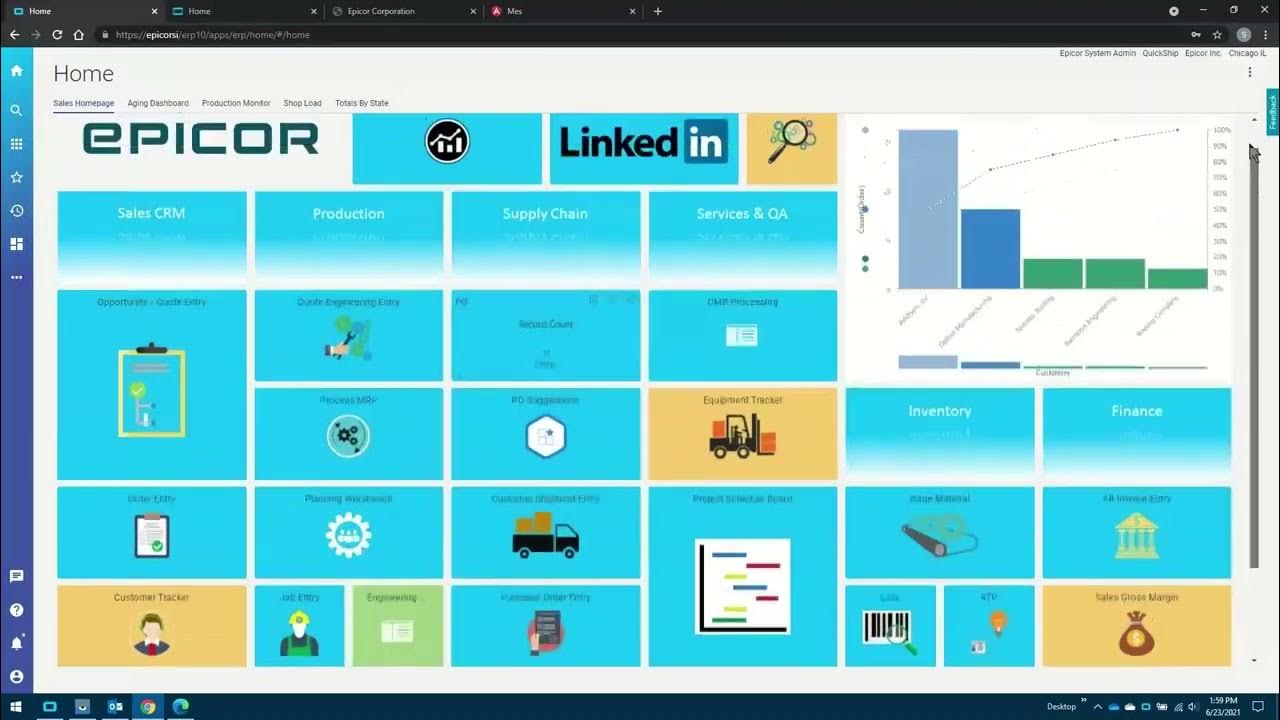
Epicor Kinetic is an on-premises and cloud-based solution that is specifically designed for the manufacturing industry. It emphasizes resource planning and management. It helps provide solutions to streamline operations and cut expenses while increasing client expenses. Its capabilities include inventory management, human resources, manufacturing management, financials, and sales management.
Other key features include
- Emphasis on the manufacturing and distribution industries.
- Built-in collaboration benefits
- Deep integration with Magento
- Real-time business information
- Extensive customer relationship and supply chain management features
- Mobile access
Pros
- Comprehensiveness
- Flexibility in deployment and user experience
- User-friendly
Cons
- May require specialized training to implement and customize
- Requires significant time and resource investment
- More suitable for medium-sized and larger businesses; it is probably too much for small businesses
Best For — Medium to large manufacturers and distributors that need deep industry-specific functionality and can invest time in implementation.
9. J.D. Edwards ERP
The J.D. Edwards ERO package has multiple deployment choices and databases. It is a robust package with more than 80 application modules and customization features. It also uses Oracle's Mobile Platform to deliver a comprehensive enterprise mobile solution.
Among its additional key features are:
- Deployment choices include on-premise, private, public, and hybrid clouds.
- Offers robust integration as a Magento ERP system
- Robust mobile solution
- Comprehensive solution for financial, manufacturing, and distribution management.
- Reporting and analytics tools
Pros
- Scalability
- Highly customizable to meet specific business requirements.
- Robust functionality
- Support for international operations
Cons
- May be too complex for smaller businesses
- Total cost of ownership, including implementation and maintenance, is higher than some solutions
- Requires training for optimal use
Magento ERP Integration Best Practices
A successful integration requires more than just plugging in a connector. Follow these best practices to avoid downtime, data errors, and frustrated teams.
-
Start with a Data Audit — Clean your product catalog, customer records, and order history before you connect anything. Duplicate SKUs, missing prices, or outdated addresses will break the sync and create cleanup work later.
-
Map Data Fields Carefully — Magento and your ERP may use different names for the same thing. Define exactly which fields in Magento match which fields in the ERP. Pay special attention to custom attributes, configurable products, and B2B company accounts.
-
Choose a Single Source of Truth — Decide which system owns the data. Does inventory live in the ERP and push to Magento? Do product descriptions live in Magento and push to the ERP? Clear ownership prevents overwritten changes and confusion.
-
Plan for Error Handling — Things will fail. A customer enters an invalid address. A product gets deleted by mistake. Set up rules for how the integration handles errors. Should it stop all sync or log the issue and keep moving?
-
Test in a Staging Environment First — Never test an integration on a live store. Use a staging copy of Magento to run orders, check inventory updates, and verify financial postings. Fix issues before real customers and real money are involved.
-
Train Your Team Before Launch — Show warehouse staff, finance clerks, and customer support how the new workflow will change their day. Even the best integration fails if people do not understand how to use it.
-
Monitor the Integration Regularly — Set up alerts for sync failures or stalled queues. A connection that quietly stops working for a weekend can mean hundreds of oversold items and a pile of angry emails.
-
Document Your Setup — Write down every custom mapping, every special rule, and every workaround. When you upgrade Magento or switch ERP versions in the future, this documentation saves hours of detective work.
-
Plan for Ongoing Maintenance — Both Magento and your ERP will release updates and security patches. Schedule time to test the connector after major upgrades. A small time investment now prevents a broken store later.
Summing Up
ERP solutions bring together information from various departments, improving customer service and increasing productivity, efficiency and, ultimately, profits. The best ERP solutions can also provide real-time analytics that helps you make smart business decisions. Integrating ERP software and Magento can ensure your online store provides an excellent customer experience while automating your processes and giving you the data you need to make smart business decisions.
Many ERP solutions exist, and the right solution for your business depends on many factors. Some of our favorites are Microsoft Dynamics, SAP Business One, Oracle ERP Cloud, Quickbooks ERP, Infor CSD, Odoo, Sage ERP, Epicor Kinetic, and J.D. Edwards ERP.
Regardless of which solution you choose, proper Magento ERP integration is critical for good results. Some Magento ERP integrations are easy to establish, while others require considerable skill.
Your business doesn't have to limit itself to choosing easy-to-integrate ERP solutions. Transform Agency can help with all your third-party integrations, including ERP systems. Our certified experts ensure that all aspects of your Magento installation and integration proceed smoothly. Contact us today for a quote.
FAQ
What is Magento ERP?
Magento itself is not an ERP. It is an e-commerce platform designed to manage online storefronts, products, and orders. An ERP (Enterprise Resource Planning) system handles back-office operations like inventory, accounting, and supply chain. A Magento ERP integration connects the two so data flows automatically between the front end and back end.
What is the best ERP for e-commerce?
There is no single best ERP for every e-commerce business. The right choice depends on your size, budget, and operational complexity. For small businesses, QuickBooks or Odoo often work well. Mid-sized merchants may prefer SAP Business One or Sage. Large enterprises with global operations typically lean toward Microsoft Dynamics 365, Oracle ERP Cloud, or J.D. Edwards.
What is the best ERP solution?
The best ERP solution is the one that fits your specific needs. Consider factors like Magento compatibility, real-time sync capabilities, scalability, total cost, and ease of use. A system that works perfectly for a manufacturer may be overkill for a small DTC brand. Review the comparison table above to see how nine leading options stack up.

Alex excels in creating and approving customization architecture, ensuring robust and efficient solutions for e-commerce platforms. His expertise in Magento allows him to effectively manage tech resources and drive technical projects to successful completion.
Alex excels in creating and approving customization architecture, ensuring robust and efficient solutions for e-commerce platforms. His expertise in Magento allows him to effectively manage tech resources and drive technical projects to successful completion.