
0%

The average Shopify store converts just 1.5% to 2% of its visitors into customers. This means that for every 100 people who browse, 98 leave without purchasing, representing a massive amount of potential revenue slipping away.
The problem is that high traffic doesn't guarantee high sales. You can spend significant time and money driving visitors to your store, only to see them bounce because of a confusing layout, slow load times, weak product descriptions, or a cumbersome checkout.
The solution to get sales is a focused strategy called Conversion Rate Optimization (CRO). This guide on how to optimize your store will explore actionable steps to transform your visitor experience, convert more of your existing traffic into loyal customers, and improve your bottom line without more ad spend. We will cover key areas such as site design, persuasive copy, trust signals, and data-driven testing.
What is Shopify Conversion Rate?
Think of your Shopify store as a physical shop. Traffic is how many people walk through the door. Your Conversion Rate is how effective you are at turning those browsers into buyers.
Simply put, it's the percentage of your store's visitors who complete a purchase. Shopify calculates it automatically:
(Number of Orders ÷ Number of Sessions) x 100 = Conversion Rate %
If 500 people visit your store and 10 make a purchase, your conversion rate is 2.0%.
But what's a "good" rate? While the average often falls between 1.5% and 3%, this varies by industry and traffic source. More importantly, this is your key benchmark:
-
Below 1%: Signals a need for optimization in your site's user experience, product pages, or checkout.
-
1% - 3%: You're in the common range, with plenty of room to grow through testing and refinement.
-
3%+: Excellent performance, indicating a highly effective storefront.
Remember, the most critical comparison is to your own historical data. A steadily improving conversion rate is the true mark of success, showing your store is getting better at converting the traffic you already have.
What is Conversion Rate Optimization (CRO)?
Conversion Rate Optimization (CRO) is the data-driven discipline of improving your website to turn a higher percentage of visitors into customers. It moves beyond simply attracting traffic to focus on maximizing the value of the visitors you already have.
At its heart, CRO is a systematic cycle of understanding visitor behavior, identifying points of friction or hesitation, and testing solutions. This involves analyzing metrics and feedback to form a hypothesis (e.g., "Adding a video will reduce product uncertainty"), running controlled A/B tests, and implementing the changes that prove to increase conversions.
For your Shopify store, this means methodically enhancing key elements that guide visitors toward a purchase. Common focus areas include:
-
Site Performance: Ensuring your store loads quickly on all devices.
-
Product Presentation: Optimizing images, videos, and copy to clearly communicate value.
-
Trust & Credibility: Strategically displaying reviews, security badges, and clear policies.
-
User Journey: Streamlining navigation and reducing clicks to find information.
-
Checkout Flow: Minimizing form fields and eliminating surprise costs.
How to Increase Conversion Rate on Shopify
Increase your Shopify conversion rate by implement targeted, proven strategies that remove friction and build buyer confidence. This section outlines 10 imortant tactics to transform more visitors into customers.
1. Start with Site Speed
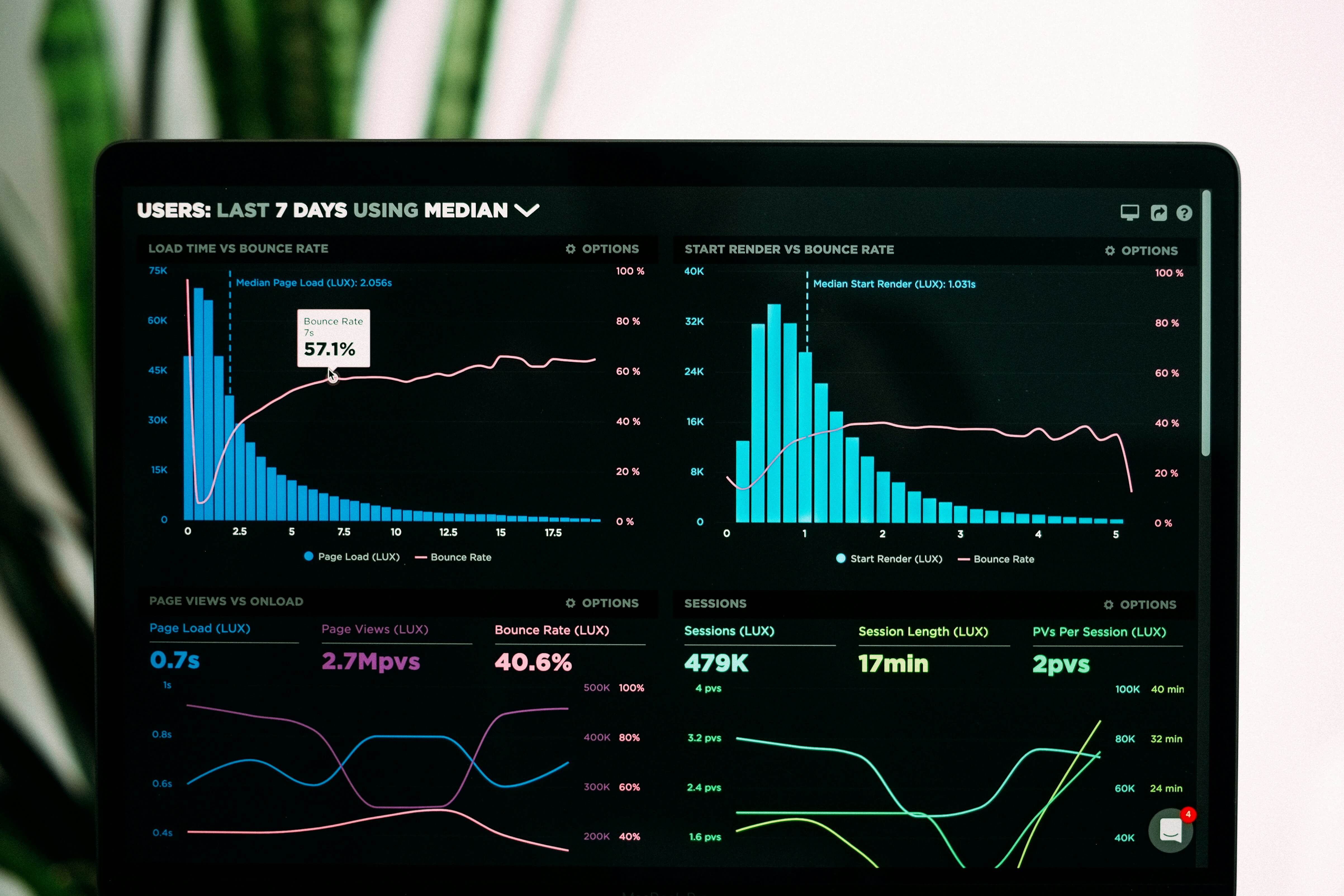
Your Shopify store's loading time is one of the first things a visitor experiences. A slow site creates frustration and erodes trust, leading potential customers to leave before they even see your products. Faster sites keep visitors engaged and significantly increase the chance of a sale.
Follow this straightforward plan to speed up your store.
First, address your images. Large image files are the most common cause of a slow store. Make it a habit to compress every product photo and graphic before you upload it. Use a free online tool or a Shopify app to reduce file size without losing visible quality. For even better results, save your images in the modern .webp format whenever you can.
Next, streamline your store's foundation. A lightweight, well-coded theme loads much faster than a heavy, complex one. Similarly, review and remove any apps you aren’t actively using, as each one adds code that can delay your pages.
Finally, measure your progress. Use free tools like Google PageSpeed Insights to test your store’s speed. These tools give you a clear report and specific recommendations, such as which images to compress or code to fix. Make it a practice to run this check every few months to maintain a fast, smooth experience for your customers.
2. Master the Product Page
Your product page must act as a 24/7 salesperson. It should answer questions, overcome objections, and visually demonstrate value to reduce purchase hesitation. Effective pages directly address customer concerns before they become reasons to leave. Remember, customers cannot touch or try your product, so your page must bridge that physical gap with superior information and social proof.
The core product page checklist:
-
Visuals: Multiple high-resolution images (zoom-enabled), a lifestyle or demo video (can increase conversions by 80%+), and maybe a 360-degree view.
-
Copy: Benefit-driven descriptions. Use the PAS (Problem-Agitate-Solution) or AIDA (Attention-Interest-Desire-Action) framework. Answer the "What's in it for me?" question clearly.
-
Details: Clear sizing charts, material specs, care instructions, and shipping/return info in an easy-to-find tabbed section.
-
Action: A prominent, high-contrast "Add to Cart" button with clear pricing, stock status, and any incentives like "Free Shipping."
Get in touch
with our expert
Discuss your project requirements and get a free estimate.
Get in touch
with our expert
Discuss your project requirements and get a free estimate.
3. Build Trust with Strategic Social Proof
Without a physical location to assess, people look to the experiences of others. More than 90% of shoppers consult reviews before making purchases. These accounts from peers function as direct evidence of what to expect. This directly reduces the central uncertainty of buying online: the doubt that precedes a purchase.
| Trust Signal Type | How to Implement It | Example Tool / Method |
|---|---|---|
| Customer Reviews | Display with photos/videos; feature on product pages & homepage. Automate post-purchase review requests. | Loox, Judge.me, Shopify's Product Reviews |
| Trust Badges & Guarantees | Show SSL, secure payment badges, money-back guarantees, and free return badges near price and checkout. | Seal Apps, custom graphic design |
| User-Generated Content | Create a shoppable gallery with tagged customer photos from Instagram. This is powerful visual proof. | Fera, Taggstar, #Hashtag Feed |
| Authority Proof | Display press logos, "As Seen In" sections, or certifications (e.g., "Certified Organic"). | Simple image section in theme editor |
4. Simplify and Streamline the Checkout
A complicated checkout process remains the primary cause of cart abandonment, with over 18% of users abandoning due to a long/complex process. The goal is to make this final step as frictionless as possible by eliminated surprises and unnecessary steps. Shopify Plus stores can customize checkout, but all stores can optimize within the standard flow.
Follow this three-step checkout optimization plan:
-
Eliminate Barriers: Enable guest checkout, auto-fill addresses, and reduce form fields to the absolute minimum (name, email, address).
-
Increase Transparency: Display all costs (tax, shipping) early—ideally on the cart page. Use a progress indicator (e.g., Cart > Information > Shipping > Payment).
-
Accelerate & Reassure: Activate one-click options like Shop Pay (which can convert at twice the rate of regular checkouts). Reiterate security and return policy at the payment step.
Pro Tip: Use an exit-intent popup on the cart page offering a small incentive (e.g., 10% off) to complete the purchase.
5. Adopt a Mobile-First Design
Most visitors to Shopify stores now use mobile devices. A flawed mobile experience therefore becomes a direct barrier to sales. A mobile-first approach prioritizes this dominant method of browsing. It requires every component of your site to facilitate easy thumb navigation, offer immediate readability, and load without delay.
Test on Actual Devices: Move beyond simulations. View every page on a recent smartphone. Confirm that interactive elements (buttons, links) meet the minimum recommended 44x44px tap target size. Verify text is legible without zooming, and that interfaces like image galleries or product filters respond intuitively to swipe and touch gestures.
Simplify Navigation: Reduce on-screen clutter. Implement a sticky, condensed menu bar that provides instant access to essential actions. Prominently feature the search function and cart icon, as these are the primary tools for mobile shoppers.
Optimize Media for Performance: Serve appropriately sized, responsive images based on the user's device. Compress images and consider next-gen formats like WebP to drastically reduce file size, conserving data and cutting load times, which is critical for users on cellular networks.
Design for Thumb Zones: Place primary calls-to-action within the natural arc of the user's thumb. For one-handed use, this is typically the central and lower-right area of the screen. Structure content to minimize stretching or hand gymnastics.
Prioritize Core Web Vitals: Mobile users abandon slow pages. Target a Largest Contentful Paint (LCP) under 2.5 seconds and eliminate layout shifts (CLS) that cause buttons to move during tap attempts. Monitor these metrics closely, as they are direct ranking and usability factors.
Enable App-Like Interactions: Explore Progressive Web App (PWA) features. Allowing users to "Add to Home Screen" creates a direct, icon-based entry point that loads instantly, fostering repeat visits and potentially enabling limited offline functionality.
Streamline the Checkout Path: Mobile checkout must be a frictionless tunnel. Reduce form fields to the absolute minimum, enable auto-fill for addresses, and integrate one-tap payment options like Apple Pay or Google Pay. Ideally, condense the process to a single, scrollable page.
Adapt All Interactions for Touch: Re-engineer any desktop-centric patterns. Replace hover-activated menus with explicit tap targets. Ensure product variant selectors, size charts, and quantity selectors are easy to manipulate with a finger, requiring no pinpoint accuracy.
Contextualize the Mobile Experience: Acknowledge that mobile shopping is often done in shorter, more distracted sessions. Design with this interruptible context in mind: surface key product benefits and critical information (price, stock status, shipping cutoff) immediately, and make the path to purchase as short and clear as possible.
6. Use Scarcity and Urgency to Drive Action
Scarcity and urgency are powerful psychological tools that motivate hesitant buyers by introducing a genuine fear of missing out, commonly called FOMO. When used ethically, these triggers help shoppers overcome natural decision paralysis. The implied limitation of time or availability creates a clear reason to act now rather than later.
Implement these effective tactics to encourage timely purchases:
Countdown Timers are highly effective for real deadlines. Use them for the final hours of a sale or to highlight a shipping cutoff, such as "Order in the next 2 hours and 15 minutes for same day dispatch." Place timers prominently on product pages, cart pages, or site-wide banners.
Low Stock Notifications communicate real inventory pressure. For items with very few units, use dynamic messages like "Only 2 left in stock." For products with higher inventory, consider phrases like "Selling fast" or "Over 50 people have this in their cart right now," which leverage social proof without misleading customers.
Limited Time Offers create a clear window for action. Flash sales, special promo codes, or early access periods should have a defined and truthful expiration. Communicate both the benefit and the deadline clearly, for example, "Get 20% off your first order. This offer expires Sunday at midnight."
A critical rule for all these tactics is authenticity. Your scarcity must be real and your urgency honest. If you have 100 units of a product, do not label it as low stock. Deceptive practices erode customer trust immediately and damage your brand's reputation for the long term. Use your Shopify inventory management system or dedicated apps to automate honest stock-level messages, ensuring your triggers are both effective and ethical.
7. Expand Payment and Financing Options
8. Deploy Clear, Benefit-Driven Calls-to-Action
Your CTAs are the road signs that guide users toward conversion. Vague CTAs like "Submit" or "Click Here" fail to motivate. Strong CTAs provide clear direction and communicate the value of the next step. They should use action verbs and, where possible, hint at the benefit received.
| Instead of this weak CTA... | Test this stronger, benefit-driven version... |
|---|---|
| "Learn More" | "Discover the 5 Features" or "See How It Works" |
| "Submit" | "Get My Free Guide" or "Start My Free Trial" |
| "Buy Now" | "Add to Cart – Free Shipping" or "Claim My Discount" |
Ensure every CTA stands out with a contrasting color (like orange or green against a neutral background) and has ample space around it. Conduct A/B tests on button copy, even small changes can yield significant lifts.
9. Use On-Site Content to Overcome Objections
A primary reason visitors abandon their cart is unanswered questions. Proactively address concerns directly on your product and checkout pages to build trust, prevent customers from leaving to find information elsewhere, and boost your SEO by targeting the exact phrases customers search for.
Implement these four types of on-site content to reduce hesitation and close more sales:
-
FAQ & Policy Sections: Add a concise, dedicated FAQ module to product pages. Answer the most common questions about shipping speed, return process, sizing, and product care. This directly tackles the logistical doubts that halt a purchase.
-
Visual Guides & Tutorials: Replace text-heavy explanations with clear visuals. Embed interactive size charts, "how-to-use" video tutorials, or high-resolution zoom features. This approach replicates the in-store experience of inspecting a product and understanding its use.
-
Product Comparisons: For complex or technical products, use a simple comparison table on the category or product page. This helps customers differentiate between models and confidently choose the right item for their needs, reducing decision paralysis.
-
Real-Time Support: Install a live chat widget (such as Gorgias or Tidio) to answer specific, last-minute questions. This immediate assistance can resolve final doubts about compatibility or specifications right before checkout.
10. Commit to a Cycle of Continuous A/B Testing
Conversion optimization is never complete. A culture of systematic testing removes guesswork and reveals what truly resonates with your audience. Start with simple, high-impact tests and let the data from your e-commerce performance analytics guide your decisions. Always test one variable at a time (e.g., headline or image, not both) to know what caused the change.
A prioritized testing roadmap:
Begin your testing journey with these foundational experiments. The table below outlines what to test, how to structure the experiment, and the key insight you will gain.
| Element to Test | Sample A/B Test Variable | What You’ll Learn |
|---|---|---|
| Product Page Headline | Benefit-driven ("Wake Up Refreshed") vs. Feature-driven ("100% Organic Cotton") | Whether your audience responds more to emotional outcomes or tangible specifications. |
| Hero Image | Lifestyle image (product in use) vs. Clean product shot (on white background) | Which visual style better connects with customers and drives engagement. |
| Call-to-Action (CTA) Button | Color (Green vs. Red), copy ("Add to Cart" vs. "Buy Now"), or size | The precise combination that generates the most clicks and conveys the right urgency. |
| Social Proof Placement | Review section above the fold vs. below the fold | Where customer testimonials have the greatest impact on purchasing decisions. |
| Shipping Promotion | "Free Shipping" site header vs. Cart page progress bar ("Spend $X more for free shipping") | The most effective way to communicate value and incentivize a larger cart size. |
Use Shopify's built-in Online Store Editor for straightforward section-based tests. For more advanced campaigns, consider dedicated apps like Optimizely or Nosto. Always run tests until they reach 95% statistical significance to ensure your results are reliable and not due to random chance.
The Bottom Line
Shopify stores have a lot to consider day-to-day. One of the most important considerations can be improving conversion rates for the ultimate success of the store. When it comes to tapping into the potential of non-customer visitors, there are a number of steps that you can take — such as optimizing the user experience on your store, offering clear information on your products, offering more payment options, continual testing and adaptation, promotional offers, and leveraging customer experiences.
Remember, if you’re looking for help developing your Shopify website, we can help. At transform Agency, we offer extensive Shopify website development services to help you harness the true potential of your store.
To learn more or get started, contact us today.
FAQ
A "good" conversion rate on Shopify typically falls between 1.5% and 3.5%, but this varies significantly by industry, product type, and traffic source. A 3% rate is generally considered very good to excellent, as it places your store well above the average. However, the most important benchmark is your own store's historical performance. Focus on steady improvement rather than just hitting an industry average.
Shopify calculates your store’s conversion rate automatically in its analytics dashboard. It uses this simple formula:
Conversion Rate % = (Number of Orders / Number of Sessions) x 100
A "session" is a single visit to your store. So, if you have 1,000 sessions and 25 orders in a day, your conversion rate is 2.5%.
A low conversion rate (often below 1%) usually indicates friction in the buyer's journey. Common culprits include:
-
Poor site speed on mobile or desktop.
-
Weak product pages with unclear photos, vague descriptions, or missing social proof.
-
A confusing or lengthy checkout process.
-
Lack of trust signals (reviews, secure payment badges, clear policies).
-
Traffic quality issues (your marketing may be attracting the wrong audience).
Systematically auditing these areas, as outlined in the strategies above, is the first step to improvement.
A Conversion Rate Optimization (CRO) audit is a diagnostic health check for your store. It moves you beyond guesswork by using data and expert analysis to pinpoint exactly where and why visitors are dropping off. An audit provides a prioritized, actionable roadmap for changes that will have the greatest impact on your sales, ensuring you don't waste time or resources optimizing the wrong elements.
There is no single "best" theme for everyone, as it depends on your products and audience. However, the best themes for conversion share key features: they are fast, mobile-responsive, and offer clean, intuitive designs that minimize clutter. Shopify's free Dawn theme is an excellent, performance-optimized starting point. When choosing any theme, prioritize loading speed and ease of navigation over complex visual effects.

Viktoria is an SEO Expert with over 10 years of experience in international SaaS and large-scale eCommerce projects. She specializes in advanced on-page and off-page optimization, content marketing strategies, leveraging AI and data analytics to enhance online visibility.
Viktoria is an SEO Expert with over 10 years of experience in international SaaS and large-scale eCommerce projects. She specializes in advanced on-page and off-page optimization, content marketing strategies, leveraging AI and data analytics to enhance online visibility.