
0%
In This Article:
What is Magento CRM Integration?
Why Integrate Your Magento Store with a CRM
How to Choose the Best CRM for Your Magento Store
Key CRM Platform Overview
Pre-Integration Checklist for a Smooth Setup
How to Choose Your Magento CRM Integration Method
Step-by-Step Guide to Implement Your Chosen Integration Method
Optimizing and Maintaining Your Magento CRM Integration
FAQ
MIT Sloan Management Review reports that bad data costs most companies 15% to 25% of their revenue. In a Magento store, this often happens because your e-commerce platform and CRM operate in isolation. This disconnect forces your team to manually handle data, which leads to errors, frustrates customers, and limits your ability to make smart decisions.
This guide provides the solution: a complete Magento CRM integration. Our step-by-step process will show you how to choose the best CRM for Magento 2 and connect your systems. Whether you manage the build in-house or use Magento integration services, the result is automated data flow and clean, unified information to power your growth.
What is Magento CRM Integration?
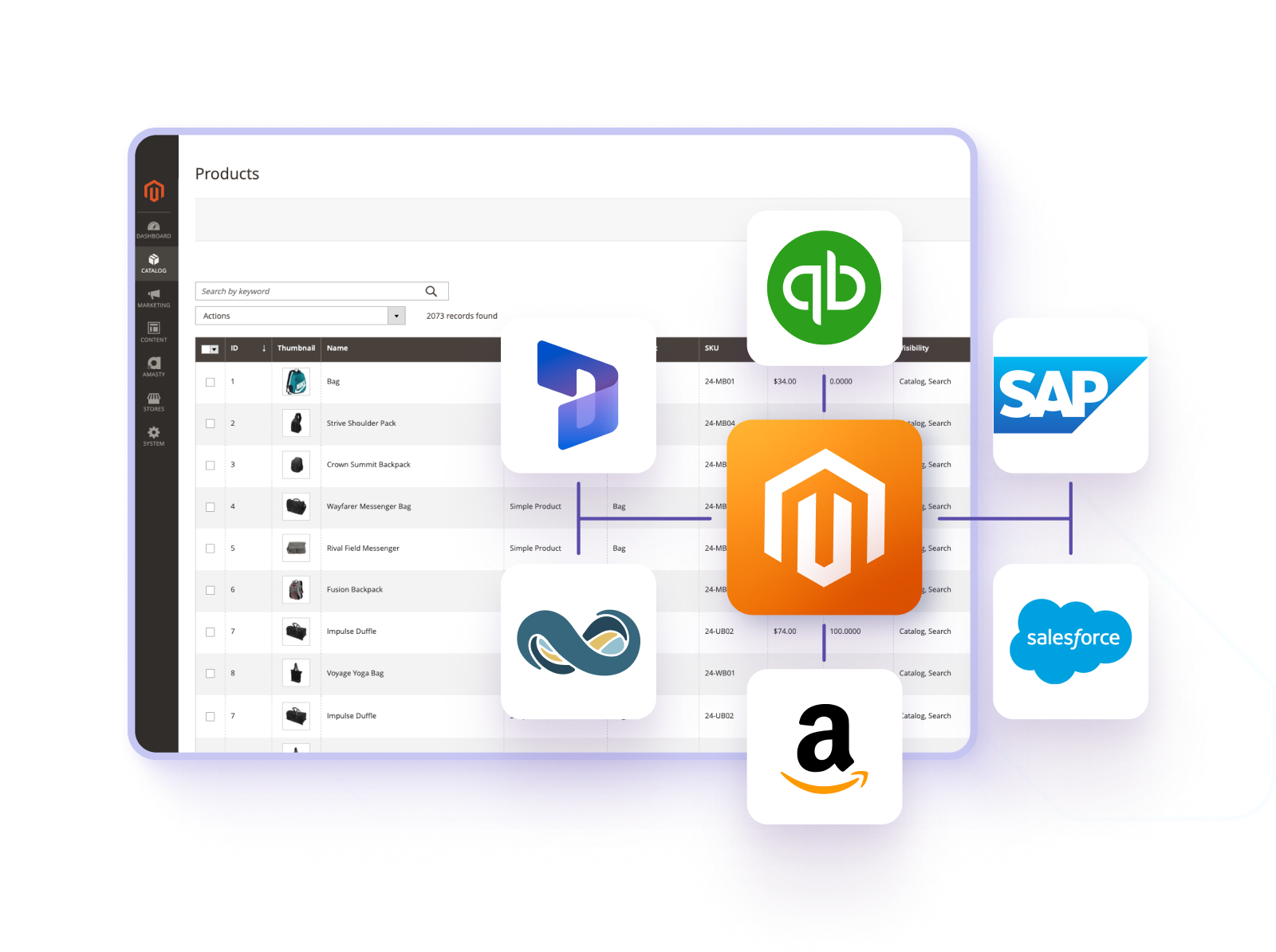
Magento CRM Integration is the process of connecting your Magento e-commerce store with a Customer Relationship Management (CRM) system. This link creates a seamless, two-way sync of data between the platforms.
It ensures that all customer data, from contact details and order history to browsing behavior and support tickets, flows automatically into the CRM. The result is a unified, 360-degree customer profile, giving your teams a complete view of each customer's journey to enable more personalized marketing, sales, and support.
Why Integrate Your Magento Store with a CRM
A direct connection between your Magento store and CRM system is a strategic move. It turns separate tools into one powerful engine for business growth. This integration solves clear operational problems and creates new opportunities. Here are the key reasons to connect these systems.
Eliminate Costly Data Silos
When Magento and your CRM work alone, they create isolated pools of data. Your staff must enter data by hand and fix errors. This process wastes time and causes mistakes. Integration automatically shares customer, order, and product data between both platforms. It builds one reliable source of truth so every team sees the same complete customer profile.
Automate Key Business Processes
Integration automates routine data flow. A new order in Magento can instantly create a record in the CRM. This change removes repetitive manual work and prevents errors. It also ensures that important follow-ups happen on time. Your team can then focus on strategic work like sales and customer loyalty.
Personalize Customer Interactions
A connected system uses rich Magento data inside your CRM marketing tools. You see exact purchase history and browsing behavior. This allows precise customer groups and targeted messages. You can send specific offers or reminders based on real customer activity, which replaces generic broadcasts with relevant communication.
Empower Sales and Support Teams
Integration gives teams immediate context. Sales representatives can identify high-priority leads based on real website activity. Support agents solve issues faster with instant access to a customer’s full order history. This leads to more effective conversations and a better customer experience.
Make Data-Driven Decisions
Clean, unified data in a central system makes your business reports accurate and reliable. You can track true customer lifetime value, measure campaign ROI against actual sales, and analyze performance with confidence. This allows strategic decisions based on complete facts, so you can optimize your marketing spend and business strategy.
How to Choose the Best CRM for Your Magento Store
The right CRM is a critical decision that determines the success of your integration. An ideal solution balances your business needs, budget, and technical capacity. We will help you evaluate key considerations and find the perfect fit for your Magento store.
1. Assess Your Business Size and Complexity
Your current scale and operational complexity are the primary filters. Small to Mid-Sized Businesses (SMBs) should prioritize affordability and ease of use. Platforms like Zoho CRM or HubSpot CRM offer strong core features and scalable pricing. Large Enterprises typically need deep customization and advanced analytics. Solutions like Salesforce or Microsoft Dynamics 365 handle complex operations but require greater investment.
2. Define Your Core Objectives and Must-Have Features
Identify the main problems you need the CRM to solve. This focus prevents you from paying for unnecessary features. For Marketing Teams, prioritize a CRM with strong marketing automation and campaign ROI tracking, like HubSpot. For Sales Teams, look for sales force automation and forecasting tools, available in Salesforce or Zoho CRM. For Customer Service, seek integrated helpdesk and ticket management features.
3. Evaluate the Total Cost of Ownership
Look beyond the initial subscription fee to understand the full investment. Key cost factors include Subscription Fees for user tiers, Integration Costs for pre-built connectors or custom API development, and Implementation & Maintenance expenses for setup, training, and support.
4. Prioritize Ease of Magento Integration
The technical path to connect the systems is a crucial practical factor. The best options include Pre-built Connectors from the CRM vendor or a trusted partner, which are often the fastest method. Check API Accessibility for custom builds and review iPaaS Compatibility if you use a middleware platform like Zapier.
5. Consider Scalability and Future Growth
Choose a CRM that can grow with your business. Key questions include whether the system can handle significant increases in data volume, if the vendor offers a clear upgrade path to advanced features, and whether the CRM can integrate with future tools like ERP or accounting software.
Key CRM Platform Overview
This overview summarizes four leading CRM platforms, details their ideal use case, and notes key considerations for Magento store owners. Use this comparison to align a platform's strengths with your business profile.
Platform | Ideal Business Profile | Key Consideration for Magento |
|---|---|---|
Zoho CRM | Small to mid-sized businesses (SMBs) seeking an all-in-one suite at value. | Strong pre-built connectors; excellent cost-to-benefit ratio. |
HubSpot CRM | Marketing-driven businesses focused on growth and inbound leads. | Superior inbound marketing tools; user-friendly but may lack deep sales features for complex pipelines. |
Salesforce | Large enterprises with complex sales processes and custom needs. | A Magento Salesforce integration unlocks the platform's full power but is a significant technical project, often requiring expert development or a premium pre-built connector. |
Adobe Commerce CDP | Adobe Commerce users whose priority is deep, AI-driven personalization. | Native, seamless integration within the Adobe ecosystem, offering a unified but proprietary solution. |
Microsoft Dynamics 365 | Enterprises are already using Microsoft products, needing deep CRM and ERP integration. | Robust but complex; integration often requires specialized partners or custom development. |
Oracle CX | Very large enterprises and B2B companies with complex quote, contract, and service needs. | Enterprise-grade with a steep learning curve; integration is a significant project best handled by experts. |
Freshworks CRM (Freshsales) | Startups and SMBs looking for a modern, intuitive interface and strong automation out-of-the-box. | Generally offers user-friendly Magento integrations through its marketplace; good for rapid setup. |
SuiteCRM (Open Source) | Tech-savvy businesses or agencies with development resources wanting full control and no license fees. | Requires in-house or contracted developers to build and maintain a completely custom integration. |
SugarCRM | Companies seek a balance between high customizability and a more manageable cost than Salesforce. | Offers flexibility; integration complexity can vary based on the chosen deployment (Cloud, On-Premise). |
Pre-Integration Checklist for a Smooth Setup
A successful integration depends on preparation. Complete these tasks in order to create a strong foundation for your project. This phased approach ensures your data, processes, and team are ready before any technical work begins.
Phase 1: Build Your Data Foundation
Start by conducting a complete audit of your Magento store to examine customer, product, and order data. Clean this data by merging duplicate accounts and standardizing formats for key fields like phone numbers and addresses. Finally, decide on the scope of historical data to migrate, often focusing on the last 12-24 months of active records to keep the new system manageable.
Phase 2: Design Your Future Processes
Define how information should move between systems by documenting your key business workflows, such as the journey of a new lead. Establish clear rules for data flow by deciding which Magento actions create CRM records and which order statuses trigger updates. Set specific, measurable goals for the project to define what success looks like, such as reducing manual data entry time.
Phase 3: Prepare Your Team
Prepare your people by assigning clear project roles, including a project owner for decisions and a technical lead for setup. Inform end-users in sales, marketing, and support about the upcoming changes to their workflow. Schedule necessary training sessions to ensure all teams understand the benefits and can use the new integrated system effectively.
Phase 4: Verify Your Technical Environment
Confirm your technical setup by first checking that your Magento version is compatible with the chosen integration method. Secure all necessary API access credentials for both Magento and your CRM, storing them safely. Finally, validate with your hosting provider that your server has the capacity to handle new sync processes without impacting store performance.
How to Choose Your Magento CRM Integration Method
With your preparation complete, the next step is selecting the technical path to connect your systems. The choice depends on your budget, technical resources, and specific business needs. The following table compares the three primary methods to help you decide.
Method | How It Works | Best For | Pros & Cons |
|---|---|---|---|
Pre-Built Connector | Installing a dedicated plugin or extension from a marketplace (e.g., Magento Marketplace, CRM app store) that handles the sync. | Most SMBs. Teams with limited developers who need a reliable, out-of-the-box solution. | Pros: Fastest setup, lower cost, maintained by vendor, includes support. Cons: Less flexibility; may not fit highly custom workflows. |
Custom API Integration | Developers build a unique connection using the Magento and CRM APIs to create tailored data flows and logic. | Large enterprises with complex, unique processes that no standard tool can support. | Pros: Maximum flexibility and control, tailored to exact needs. Cons: High development cost, long timeline, requires ongoing maintenance. |
iPaaS (Middleware) | Using a cloud platform (e.g., Zapier, Celigo) to create visual, codeless automation workflows between the two systems. | Businesses connecting many apps, or with limited tech staff needing moderate-complexity integrations. | Pros: No coding needed, connects many apps, quick to modify. Cons: Can be costly at scale, may not handle complex, real-time data well. |
For most Magento store owners seeking efficiency and reliability, a Pre-Built Connector is the recommended starting point. It offers the best balance of speed, cost, and support. Choose a Custom API project only if your processes are truly unique and budget is not a constraint. An iPaaS platform is ideal if your primary goal is to automate tasks across several business applications with minimal coding.
Step-by-Step Guide to Implement Your Chosen Integration Method
With a chosen method, you can move to the practical setup. This table outlines the key implementation phases for each path, providing a direct guide to build a stable connection.
Phase | Pre-Built Connector | Custom API Integration | iPaaS (Middleware) |
|---|---|---|---|
Initial Setup & Configuration | Install extension, enter CRM API credentials in Magento Admin. | Set up a development environment, authenticate and establish base connection with both APIs. | Create an account on the iPaaS platform, authorize connections to both Magento and CRM. |
Data Mapping & Sync Rules | Use extension’s interface to map Magento fields to CRM fields (e.g., customer → contact). | Code the specific data mappings and define transformation logic for each synchronized entity. | Use visual workflow builder to define triggers (Magento event) and actions (CRM update). |
Testing & Validation | Run test transactions, verify data accuracy in CRM, check sync logs for errors. | Conduct unit and end-to-end testing, validate data integrity and error handling. | Execute test workflows, confirm data flow and formatting in the CRM. |
Launch & Monitoring | Enable live sync, monitor initial data flow closely, inform users. | Deploy integration to production server, monitor performance and error logs. | Activate workflows, set up alerts for failed tasks, monitor usage costs. |
Optimizing and Maintaining Your Magento CRM Integration
A successful CRM integration with Magento requires ongoing attention. Treat it as a core business system, not a one-time project. These five focus areas will ensure it remains reliable and continues to drive value.
Uphold Data Quality – Audit for duplicate records monthly. Update customer segments quarterly. Clean product data before new launches. Standardize entry fields for all teams.
Expand Process Automation – Review manual tasks for automation potential monthly. Update sync rules every six months. Automate lead scoring based on purchase behavior. Set up alerts for high-value cart abandonments.
Monitor System Health – Check error logs weekly. Apply software updates promptly. Review API usage and sync speed quarterly. Validate backup systems bi-annually.
Train and Align Your Team – Document integration processes for all users. Train new hires on data standards immediately. Create a feedback loop with sales and support teams quarterly. Designate an integration owner for updates.
Analyze and Optimize Performance – Track key metrics like sync success rate monthly. Report on ROI from automated campaigns quarterly. Test new CRM features with your Magento data bi-annually. Review integration costs against value yearly.
Complete Your Magento CRM Integration
An integration between your Magento store and a CRM automates workflows, delivers precise customer insights, and unifies data. This guide outlined the roadmap to turn two systems into one growth engine. This eliminates errors and unlocks personalized engagement.
Ready to build your seamless connection? A smooth execution needs specific expertise. To ensure your project delivers maximum value fast, partner with specialists. Reach out to Transform Agency for expert help to build a Magento CRM integration that drives your revenue forward.
FAQ
Is Magento a CRM or CMS?
Magento is neither a CRM nor a traditional CMS. It is a powerful e-commerce platform designed to build and manage online stores. While it handles products, orders, and customer accounts, it lacks the dedicated sales pipeline, marketing automation, and relationship management tools of a true CRM.
What is the best CRM for e-commerce?
The best CRM depends on your business size and goals. For most SMBs, Zoho CRM offers strong value and good integration. Marketing-focused stores often prefer HubSpot CRM, while large enterprises with complex needs typically choose Salesforce. Our "Key CRM Platform Overview" table provides a detailed comparison to guide your choice.
What is a CRM integration?
A CRM integration creates a direct, automated link between two systems—like your Magento store and your CRM software. It syncs data such as customer details, order history, and product information between them in real time. This eliminates manual data entry and creates a unified customer profile for smarter marketing and sales.

Alex excels in creating and approving customization architecture, ensuring robust and efficient solutions for e-commerce platforms. His expertise in Magento allows him to effectively manage tech resources and drive technical projects to successful completion.
Alex excels in creating and approving customization architecture, ensuring robust and efficient solutions for e-commerce platforms. His expertise in Magento allows him to effectively manage tech resources and drive technical projects to successful completion.